A new era for your contact database:
custom layout and smart lead scoring

Adela Mrazkova
5/6/2026
News
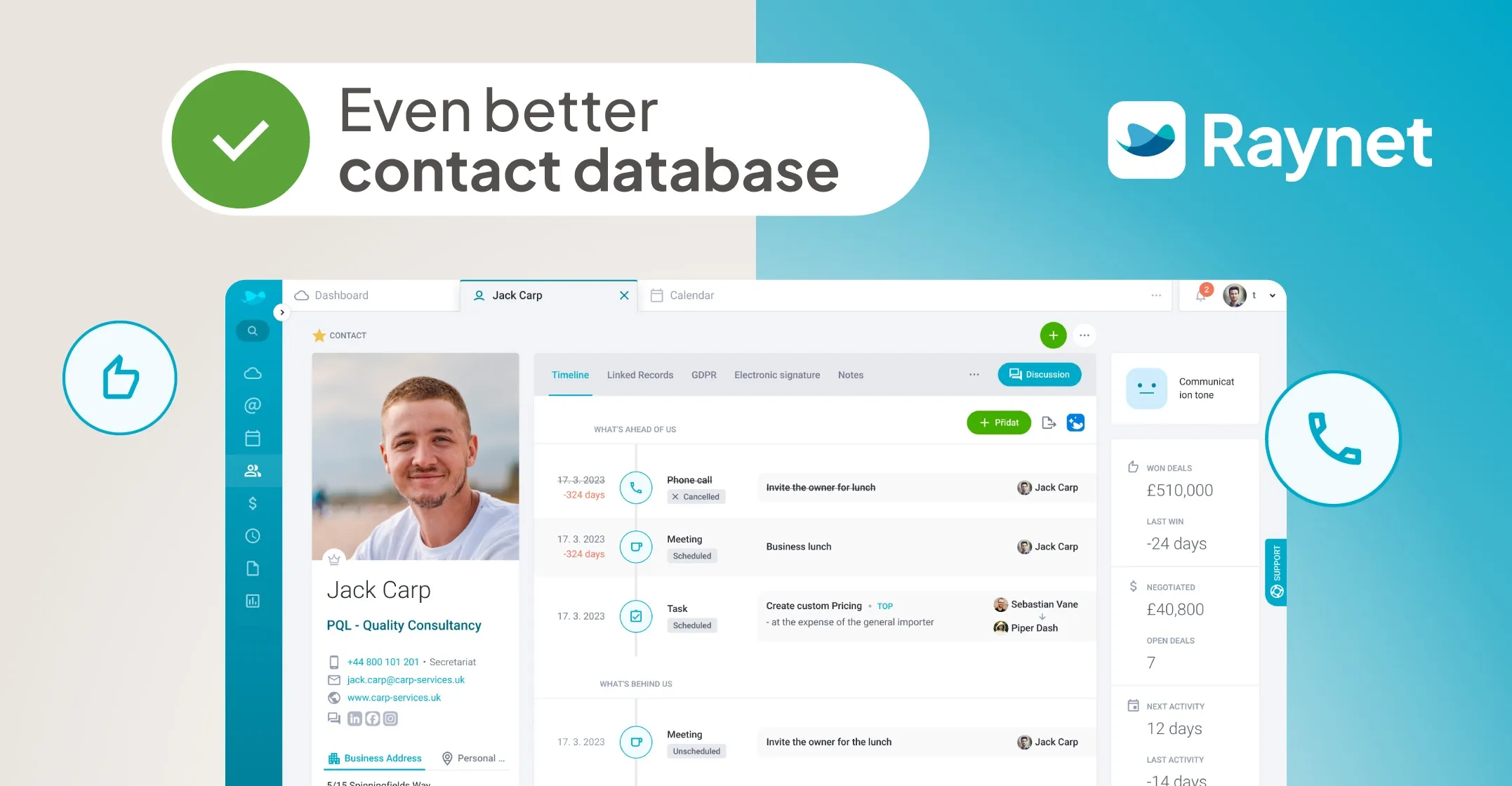
The Contact Database was the last major part of Raynet that still "remembered the old days." We’ve rebuilt it from the ground up to make it faster, clearer, and a better fit for how you work with Accounts, Contacts, and Leads every single day.
New layout, new features 👀
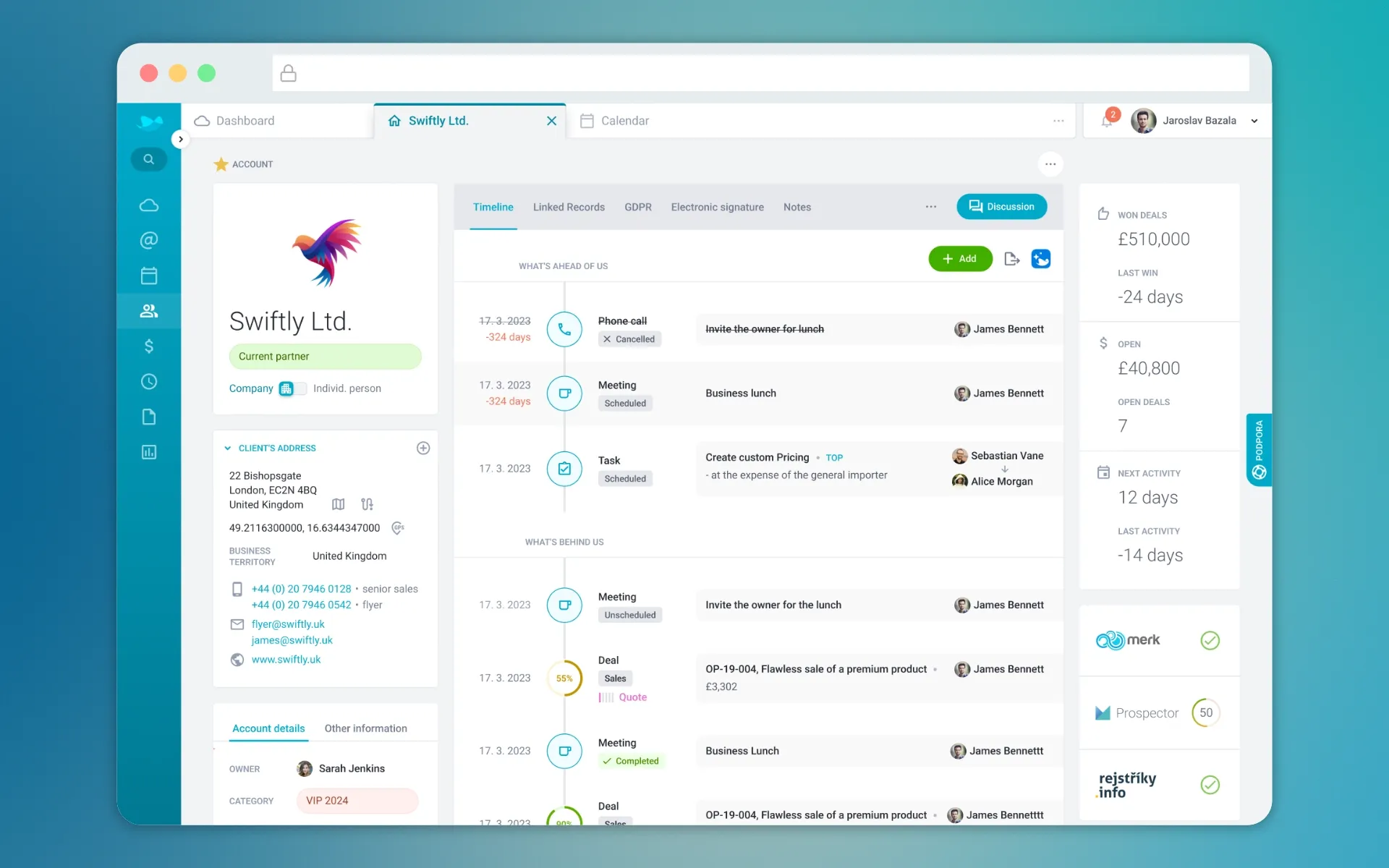
A more modern design is here, along with many more ways to customize Accounts, Contacts, and Leads to your liking, just as you’re used to in other parts of the CRM.
To make working with Leads even better, we’re adding two major updates. They’ll help you prioritize faster and keep the status of your leads perfectly under control.
Now, let’s get specific: what’s new? 👇
1. Interaction tone
We’ve added a new attribute for Contacts – Interaction tone. This lets you note down how a person presents themselves so you can adjust your communication style accordingly.
Formal? Casual? Or maybe a bit cautious?
It’s a small detail, but it can save your reputation (and your nerves) before a meeting or a phone call.

2. Contacts now have their own tab
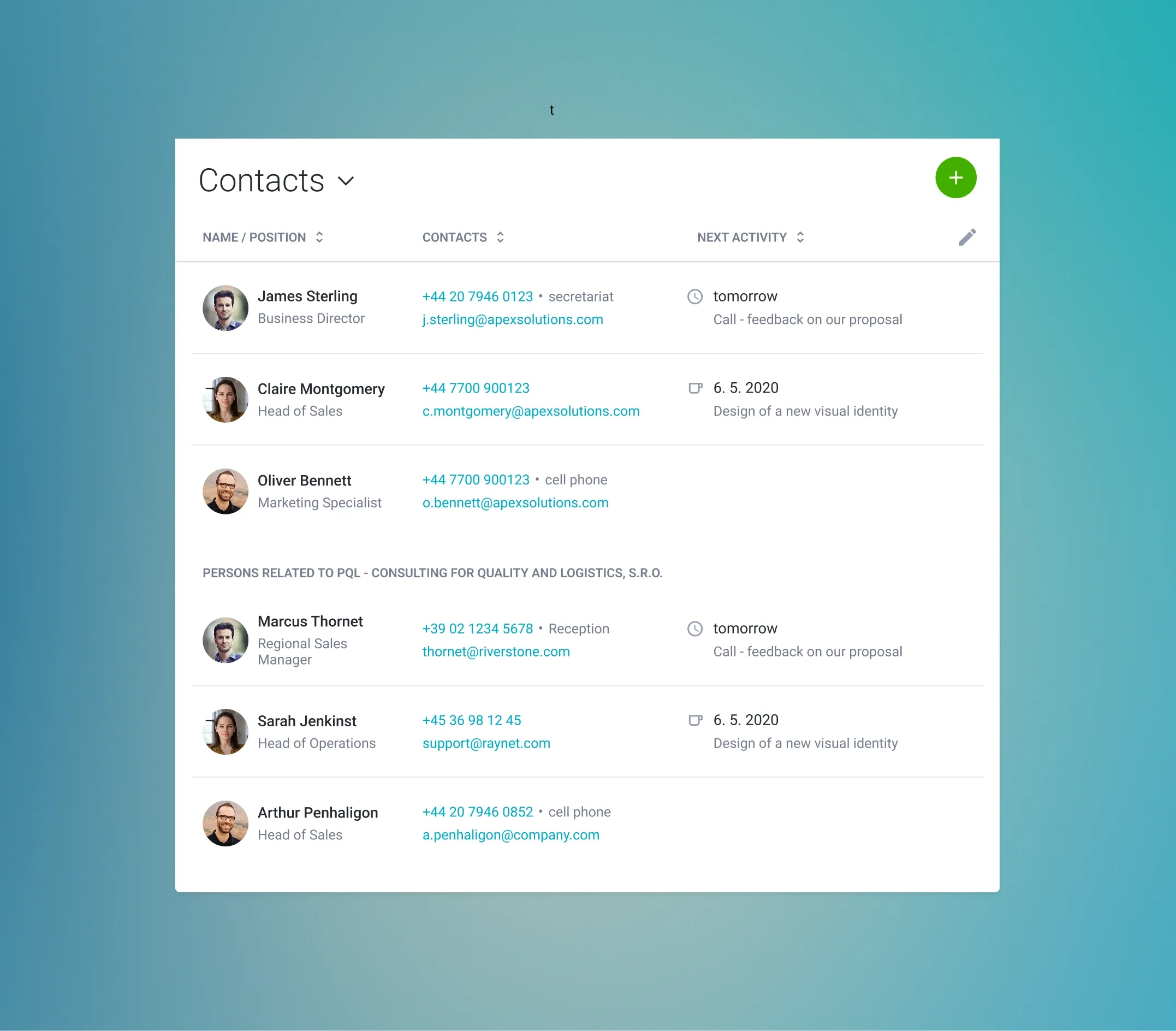
We’ve promoted Contacts to a standalone tab with a full-featured table. Now you can filter them however you like, export data, and clearly distinguish between primary and secondary relationships.
3. When an activity is coming up, Raynet starts the countdown
In Accounts and Contacts, you’ll now find a live countdown for upcoming activities. As soon as a meeting or task deadline approaches, Raynet shows you exactly how much time is left until the start.

4. Card customization
Now, something for everyone who loves setting things up to fit them, or their entire team, perfectly. 🙌
Admins can now customize the Contact Database as they see fit: create custom tabs, change the order of both custom and system tabs, set a default tab, add custom panels, adjust the main page layout, and much more.
Everything works via drag & drop in a visual editor. So feel free to:
- Set "Linked Records" as your default tab
- Add other items that are important to you to "Basic Information"
- Or even adjust the layout to remind you of the original version 😅
5. Lead scoring: a little “big” AI surprise
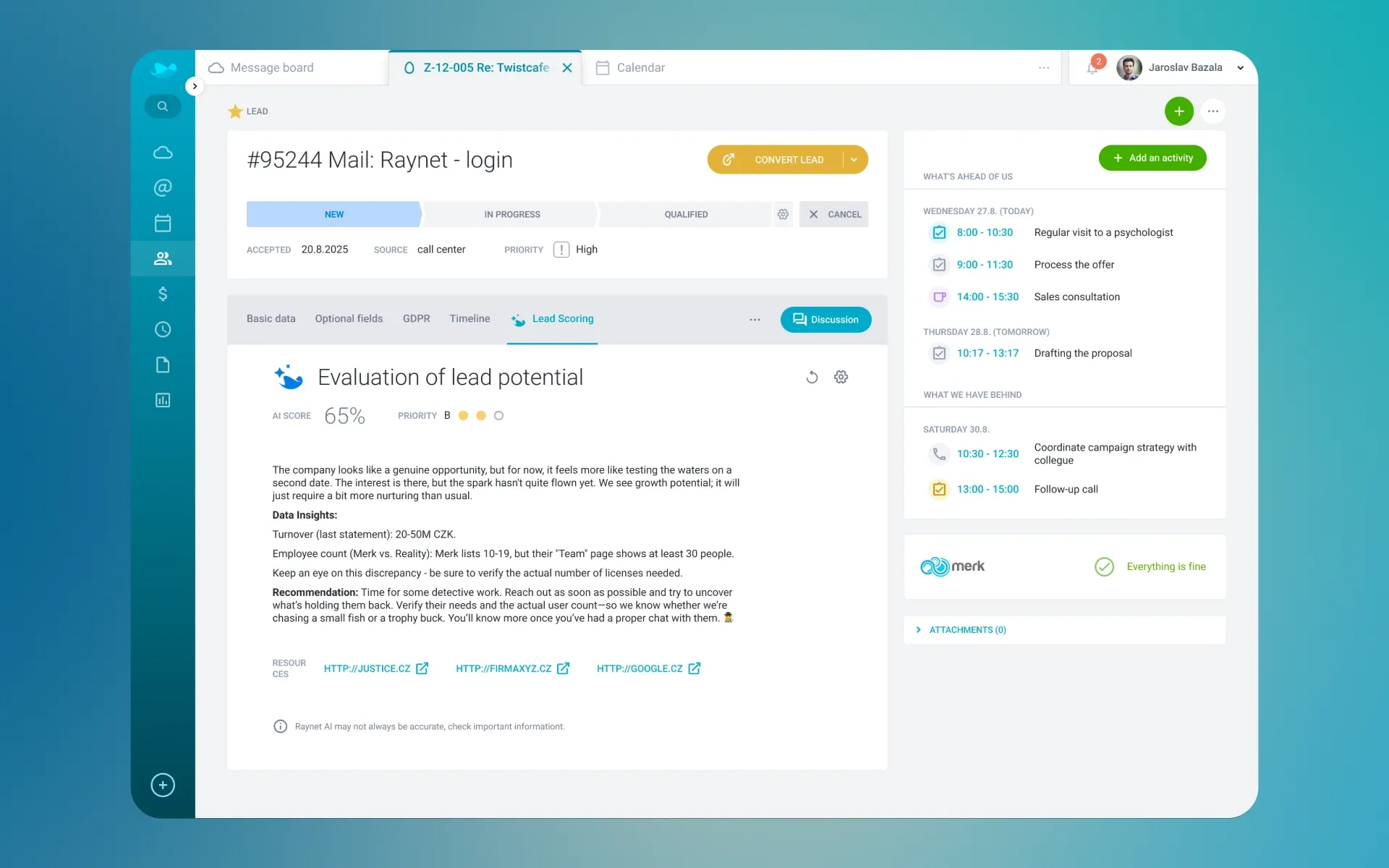
Lead Scoring is an AI-powered feature for everyone who wants to pull the most interesting opportunities out of their leads faster.
From the Professional plan and up, you’ll find a new tab in Leads powered by Raynet AI. 🤖 It takes available information to prepare a clear summary, adds context and data from business registries, and helps you better estimate a lead's potential.
First, you turn on Lead Scoring in Settings – define your ideal customer profile, choose scoring criteria, and set the importance. Then, the AI gets to work, helping you quickly identify which lead has potential and who deserves your attention first.
6. Lead Board: keep your opportunities in sight
For managing leads, we’re also adding the Lead Board, which works similarly to the Business Board. You can split leads into columns based on their stage and simply move them using drag & drop. You’ll see right away what’s happening where and which opportunities need your focus.
So, that’s the new Contact Database. Now it’s your turn – click through it, customize it, and find out what works best for you. And if you need anything, we’re here for you! 😉
Adel gained experience in e-commerce and SaaS companies as a content-focused brand manager. She now uses this overlap in product marketing, where she connects what CRM can do with what customers need to hear - in a clear and easy to understand way.