CRM Comparison: Raynet vs. Livespace

Kelly Carrow
3/2/2026
CRM

Choosing a CRM system is far from a trivial decision. It’s an investment in how your sales team works, and often the foundation for your company’s long-term growth. That’s why before you click “Try now,” it’s worth considering a few key factors: which features you need, how the onboarding process works, whether the system will scale with your business, and, of course, the short-term and long-term costs.
We have already written a comparison of the best CRM systems. Today, we will be taking a closer look at Raynet and Livespace – features, pricing, usability, and overall philosophy.
Raynet
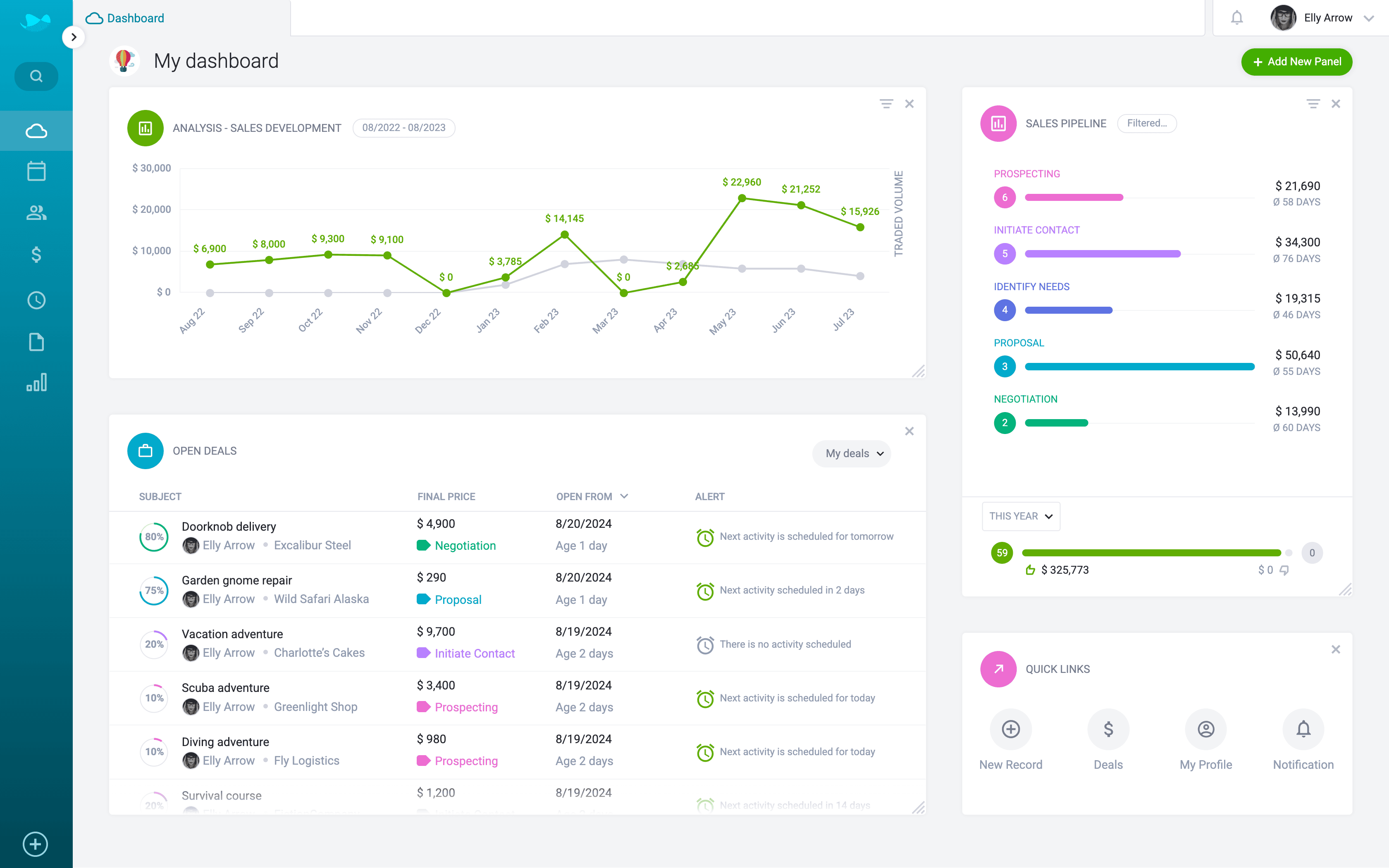
Raynet is a popular CRM system, which grows along with its users. This makes it suitable for small, medium, and large companies.
It has been simplifying work for sales reps since 2004, when it was founded by four Czech IT guys with a love for programming and business. Intuitive design and powerful features to streamline sales processes are the alpha and omega of Raynet. As a customer relationship management software company, they place a huge emphasis on a pro-customer approach.
Livespace
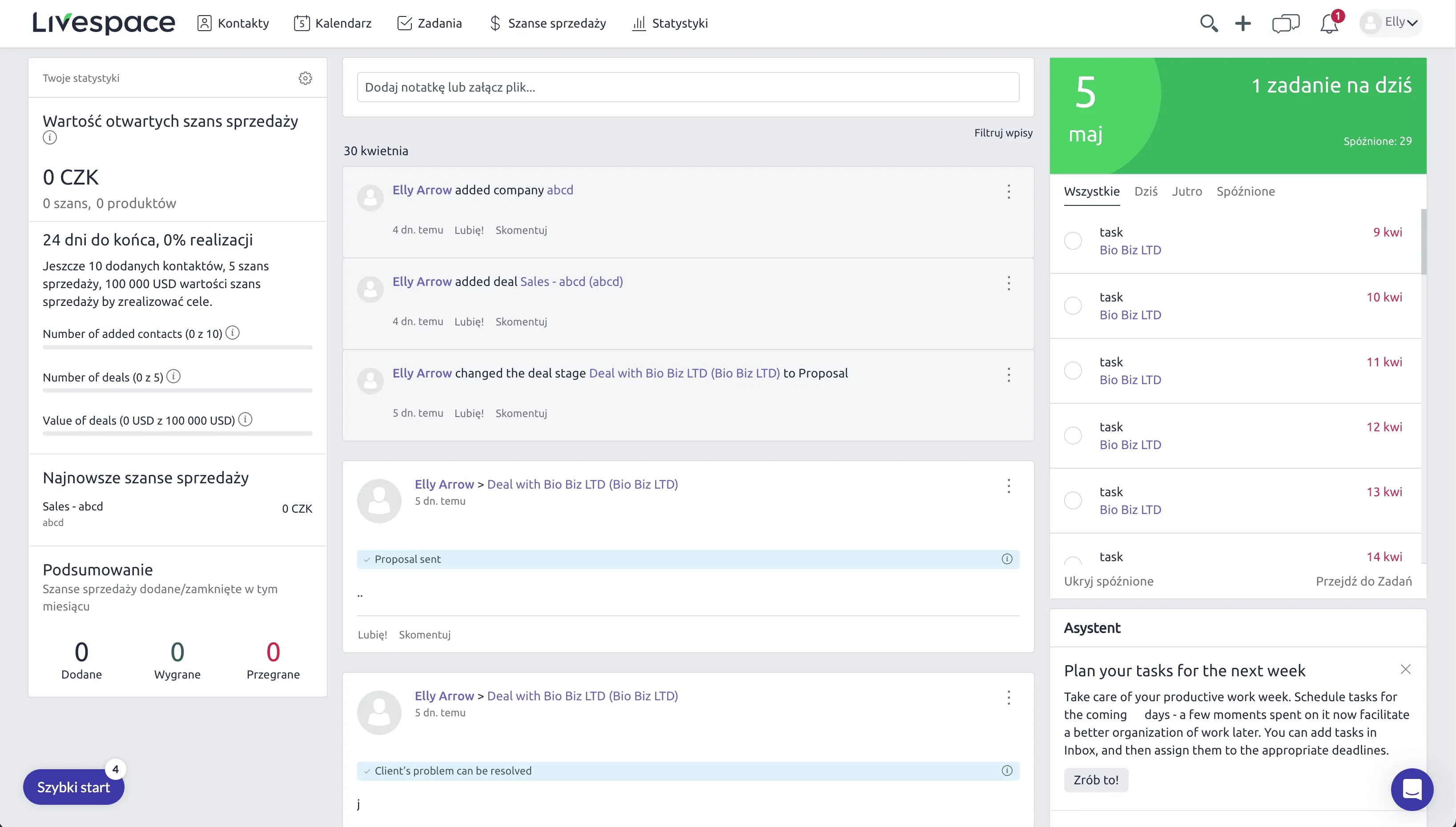
Livespace is a CRM system launched in 2013 in Poland, primarily focused on bringing structure and discipline to sales processes. It is designed mainly for B2B companies that want to standardize their sales activities and enforce a consistent, repeatable workflow. The platform offers tools for managing pipelines, tracking sales performance, and forecasting results. Livespace emphasizes process control and measurable sales activities, helping teams follow predefined steps throughout the sales cycle.
Raynet vs. Livespace: Features and Pricing
To make the comparison clearer, here’s a side-by-side overview:
Pricing
| Raynet | Livespace | |
|---|---|---|
Price per user/month (annual billing) | $19–48 | $17–87 |
Free trial | ✅ | ✅ |
Free version | ❌ | ❌ |
Features
Customer support
| Raynet | Livespace | |
|---|---|---|
English language customer support | ✅ | ✅ |
English Knowledge base and tutorials | ✅ | ✅ |
Technical support in english | ✅ | ✅ |
Free onboarding consultations | ✅ (from Professional plan) | ✅ (from Growth plan |
When you compare CRMs, features shouldn’t only be a checklist. They’re how the system helps your team do real work every day. Raynet and Livespace both offer powerful functionality, but they take different approaches to how those features are structured and used.
What Raynet Offers
Raynet gives you a full set of sales-focused tools that cover the entire customer lifecycle: contact and lead management, deal tracking, calendar and activity planning, reporting and analytics, mobile access, integrations with email and productivity tools, and more. You also get advanced capabilities like workflow automation and AI assistance – all designed to make everyday sales tasks easier and faster.
Importantly, Raynet’s features are, for the most part, flexible building blocks. You can bend them to fit your process. For example, the Project object Raynet offers can be used differently depending on your industry:
- A real estate agency can use Projects to manage individual properties - attaching interested buyers, tracking communication, scheduling viewings, and handling negotiations.
- A construction company can use Projects to manage long-term contracts.
- A marketing agency can use Projects to organize client campaigns.

This can all be done without losing the well thought out layouts and business logic that make the system intuitive. At the same time, Raynet isn’t infinitely customizable like some enterprise platforms (e.g., Salesforce). That’s intentional. Too much freedom can make the setup complex, hard to use, and slow to adopt. With Raynet, the priority is always usable flexibility that keeps the tool simple and effective for everyone.
What Livespace Offers
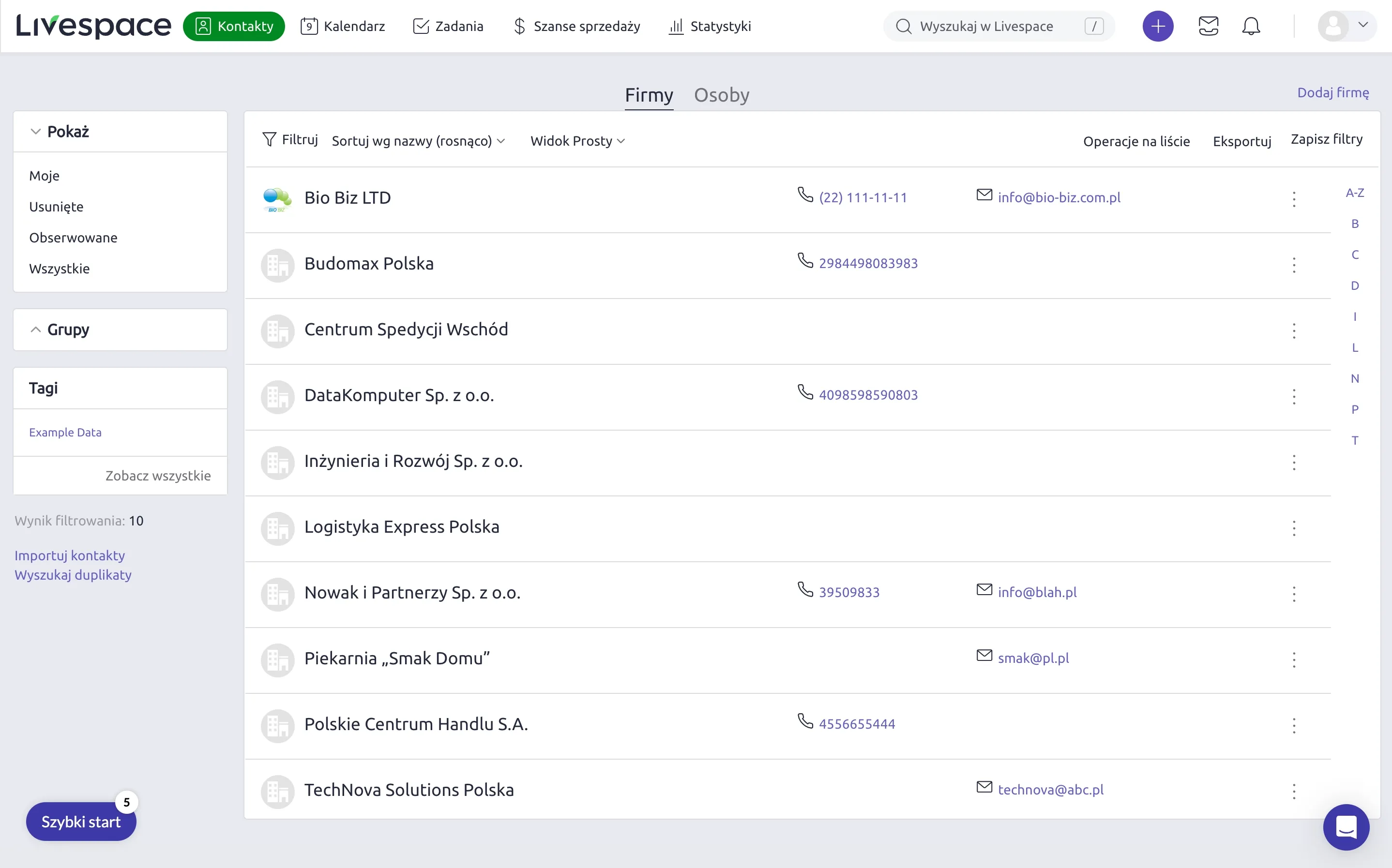
Livespace also delivers a robust feature set: contact and pipeline management, task automation, reporting, customizable fields, internal communication tools, and built-in sales process guidance. Its strength lies in how features are tied to a defined process model – sales stages, task checklists, and workflow rules are designed to enforce consistency and help teams follow a structured sales approach.
That process-first logic can be very effective for B2B teams that want tight control and repeatability. The system encourages discipline and uniform behavior across users, but because features are more tied to a specific workflow model, there’s less room to repurpose them for entirely different use cases outside the built-in framework.
What This Means in Practice
- Raynet gives you features that adapt to your business and way of selling, within a clear, easy-to-use structure.
- Livespace gives you features that enforce a structured sales process, with customization focused mainly on shaping that process itself.
User experience and ease of use
A CRM can look powerful on paper and still fail in practice. But why?
When systems become too complex, sales reps avoid using them properly. Data becomes incomplete. Reporting becomes unreliable. And the CRM turns into an administrative nightmare instead of a sales tool.
This usually happens when a CRM is built to satisfy managers’ wish lists rather than reps’ daily reality. Too many features, too many buttons, too much admin. Instead of spending time with customers, reps end up filling in fields, hunting for buttons, and clicking their way through complex interfaces. That’s when a CRM becomes counterproductive.
That’s why your trial period matters. Don’t just check off features, run your real sales process in the CRM. Ask yourself:
- Can I get to the data I need without excessive clicking?
- Are key actions easy to find? Do you almost intuitively know where to click?
- Does this speed up selling, or slow it down?
If you notice constant manual inputs or feel like you’re on a treasure hunt just to complete simple tasks, it’s a red flag. A CRM should make work easier and faster, not drown your team in busywork.
Although Livespace is considered more intuitive than many other CRMs on the market, Raynet takes it a step further in terms of ease of use. It keeps everyday actions front and center, accessible in a few clicks, without overwhelming users with unnecessary options. The interface stays clean and intuitive, so reps can focus on selling, not navigating software.
3 smart navigation features Raynet does better Than Livespace
1. Tab system that feels instantly familiar
Raynet uses an internal tab system, so every record you open appears in its own tab inside the CRM, just like browser tabs. This means no constant clicking “back,” no losing context, and no cluttering your browser with dozens of CRM pages.
You can easily switch between clients, deals, or activities and even compare records side by side, all while keeping Raynet open in a single browser tab. It’s a small detail borrowed from desktop apps, but it makes navigation much faster and more natural than in Livespace and a lot of other cloud CRMs.

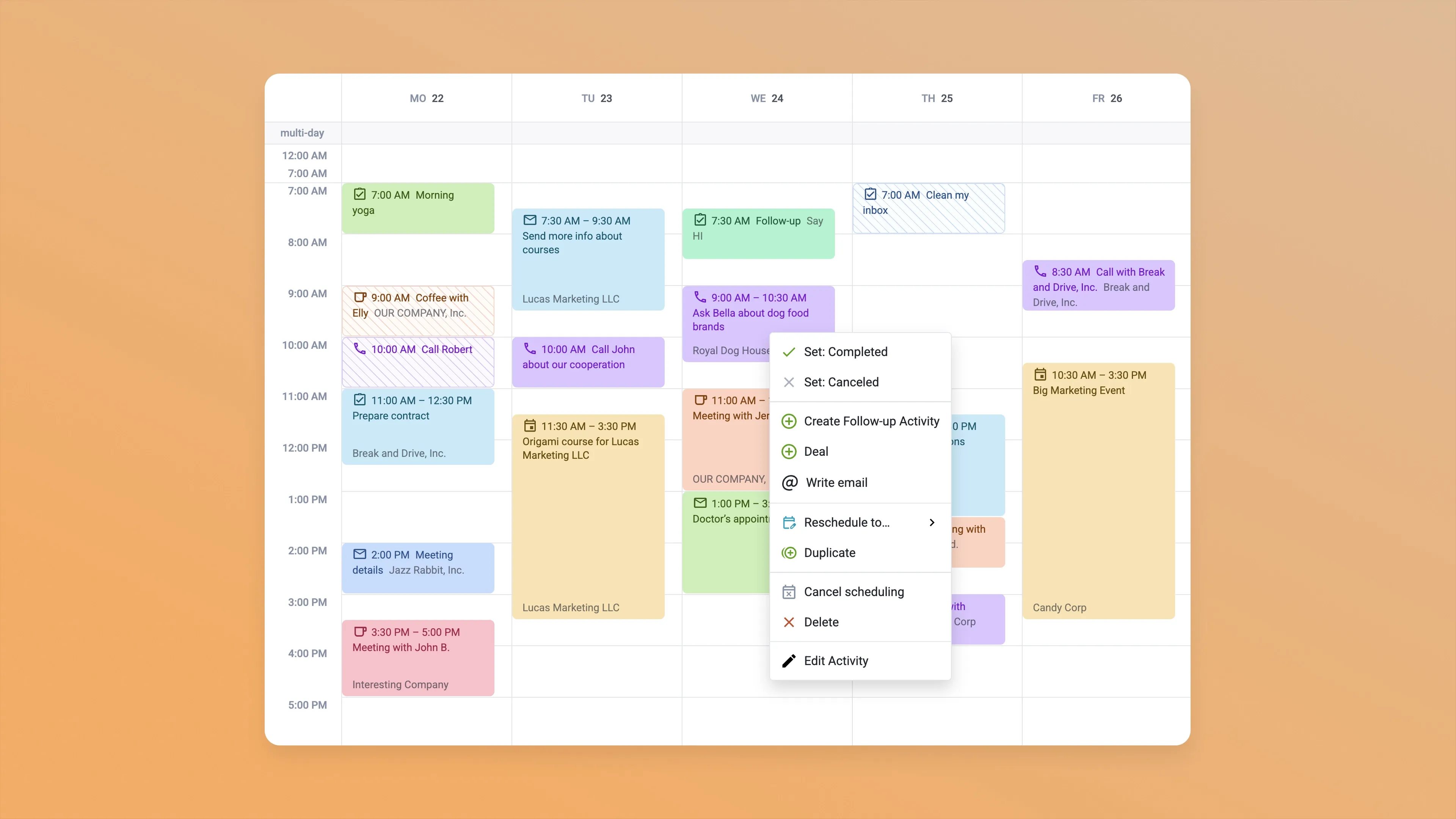
2. Right-click actions in the calendar
Raynet supports right-click actions directly in the calendar. With one click, you instantly see everything you can do with a planned activity. Edit it, complete it, reschedule it, or create a follow-up.
There’s no need to open each activity individually or search for buttons. This saves time on daily planning and reduces unnecessary clicking, something Livespace doesn’t handle as smoothly.
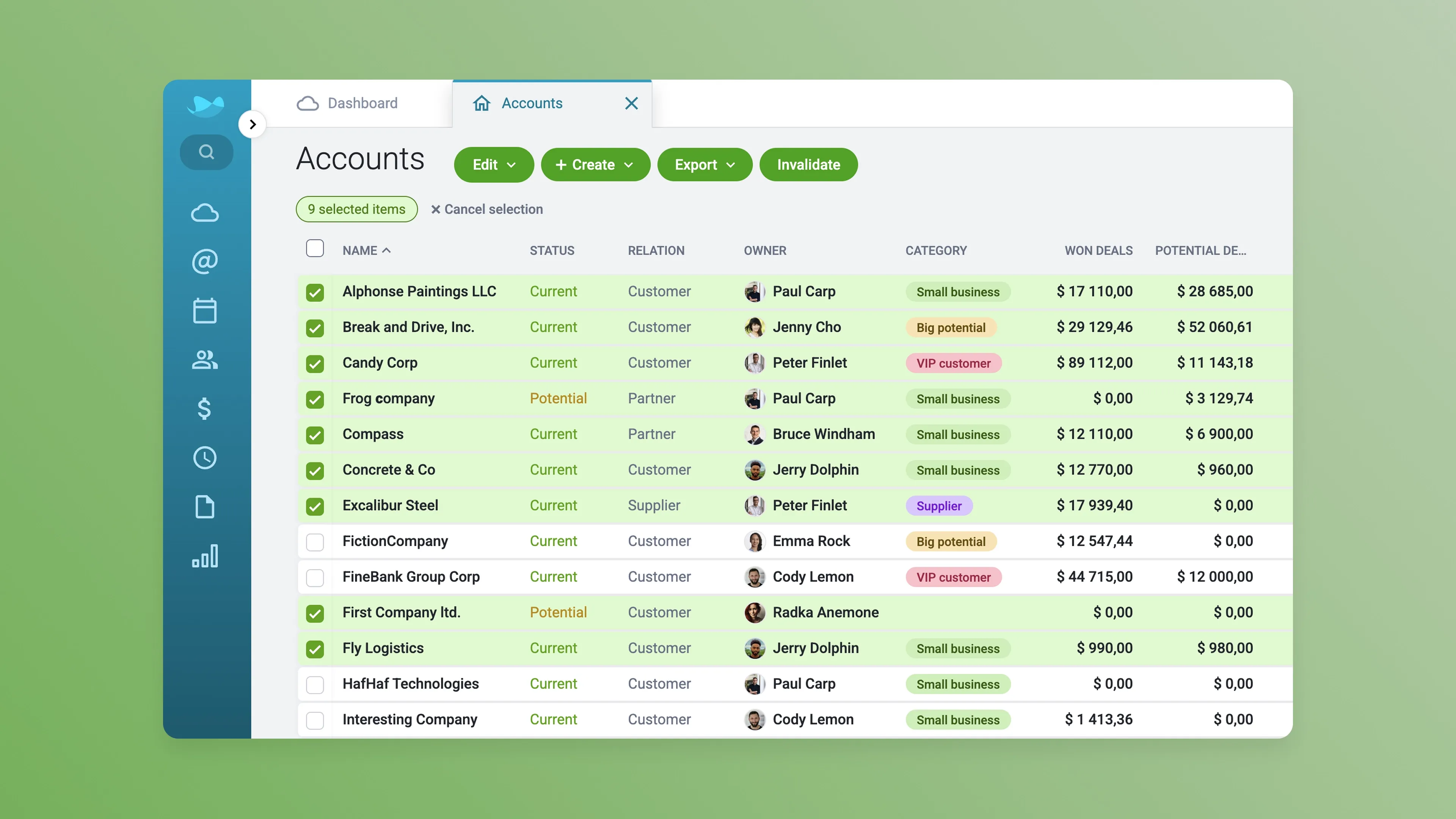
3. Fast mass actions and multi-select editing
Raynet allows easy mass actions using shift-click selection, just like selecting files on your computer. You can edit multiple records at once instead of clicking through them one by one.
This small usability feature has a big impact: less admin work, fewer clicks, and faster database management. It’s another example of how Raynet focuses on real productivity, not just the number of features offered.
Where Raynet stands out
- Faster adoption and shorter learning curve
- Built-in commercial tools (Quotes → Sales Orders)
- Flexible use of entities like Projects
- AI assistance and workflow automation
- Strong customer support reputation
Where Livespace stands out
- Process-enforced pipelines with checklists
- Step-level analytics
- Structured onboarding and sales academy
- Strong focus on repeatable B2B processes
- Built-in email sequences
Software stability and reliability
Choosing cloud-based software comes with many benefits compared to on-premise solutions, such as easier access and lower maintenance. But one important factor to consider is reliability. Some platforms may experience occasional downtime or slow loading times, which can disrupt daily work and make it harder to stay organized.
For example, imagine you’re preparing for an important meeting and need to quickly review notes from your last conversation with your client but your CRM isn’t available. Situations like this can slow down your workflow and potentially impact business opportunities. That’s why it’s a good idea to look at long-term user feedback on review sites. Stability issues may not appear during a trial period but can become more noticeable after you’ve fully invested in a solution.
Raynet CRM emphasizes availability and offers an optional Service Level Agreement (SLA) guaranteeing 99.8% uptime. Many teams appreciate having a system they can rely on throughout the day. The platform is also designed for fast performance, with ongoing optimization to ensure quick access to data even as databases grow.
Some Livespace CRM users have mentioned occasional stability concerns and long downtimes in reviews, suggesting that reliability may vary depending on usage and environment.
Another user who overall has a lot of positive things to say about Livespace, states this as a disadvantage of the system: “Unfortunately the program is quite slow and unresponsive. Sometimes the work is quite tedious.”
What do users say about Raynet and Livespace?
What users like about Raynet
- Easy to implement and use: Many users mention that Raynet is easy to understand and adopt. Teams can start using it almost immediately without long training.
- Clean and simple interface: Compared to many CRM systems, Raynet doesn’t overwhelm users with unnecessary features or complicated menus. The interface stays clear and focused on daily sales work. This has been the priority for more than a decade, as evidenced by a user review from 10 years ago.
- Excellent customer support: Fast, helpful customer support is one of the most frequently mentioned advantages in reviews.
What users dislike about Raynet
- Limited internal communication features: Some users would prefer a built-in chat for team communication. Raynet instead offers record-based discussions and dashboard notes.
- Reporting customization could be deeper: While Raynet offers multiple reporting features, some users would like more advanced customization options in their analytics.
What users like about Livespace
- Strong process control: Users value the structured sales pipeline and checklists that help enforce a consistent sales process.
- Detailed analytics and reporting: Livespace offers strong analytics and customizable reports that help teams track performance.
What users dislike about Livespace
- Speed and performance issues, long downtimes: Multiple users report that the system can feel slow or less responsive at times and can have long downtime periods.
- Limited integrations with some tools: A few reviewers mention that more native integrations would be helpful.
- Process structure can feel restrictive: While the structured workflow helps some teams, others feel it leaves less room for flexibility.
Raynet or Livespace: Which CRM Should You Choose?
Both Raynet and Livespace are powerful tools that can help you manage your sales pipeline effectively. The main difference is their philosophy:
- Livespace is a good fit if your company prioritizes strict process enforcement and step-by-step control.
- Raynet is ideal if you want a flexible, intuitive CRM that adapts to your business and remains easy to use as you grow.
If you’re deciding between the two, the best next step is to try each system for yourself. You can try Raynet for 30 days free, with full access. No credit card required.
Try Raynet for free and see how simple and powerful CRM can be.


Kelly used to work as a freelance translator and later got into marketing, content creation and software localization. At Raynet, she works on making the CRM system more friendly towards English-speaking users, expanding the Knowledge Base, and writing articles.
Sales tips & tricks in your inbox
A dose of sales knowledge, tricks, and CRM best practices. Sign up now!