How to tame sales with Raynet AI
and what’s coming in 2026

Kelly Carrow
3/5/2026
CRM

AI can now write emails, summarize meetings, and suggest what to do next. Meanwhile, salespeople are still switching between their CRM, ChatGPT, Gemini, Copilot, notes on their phone, and five other tabs in their browser…
In an ideal world, AI should not be just another extra tool. It should be built into the place where you already manage sales every day. Right inside your CRM. No copying data back and forth. No losing context. And most importantly, no risk of sensitive client information ending up somewhere it should not.
In this article, we’ll show you:
- What you can already do with Raynet AI directly in the system
- How to get AI to write emails that sound human, not robotic 🤖
- How to use AI safely when working with customer data
- Where Raynet AI is heading in 2026
CRM + AI = context that changes the way you sell
On its own, AI can be smart. But it often has no idea what stage your deal is in, what has already happened, what was agreed, or what the communication history looks like. And that is when things start to go wrong:
- the generated email sounds generic because it lacks context,
- the meeting summary is good, but never gets saved anywhere,
- the “what next” recommendation misses the mark because AI cannot see the full timeline,
- and in the end, the salesperson still copies everything over manually.
AI inside CRM software has one major advantage: it is tied to the reality of day-to-day sales work. It helps where sales actually happen, in activities, contacts, deals, notes, and emails.
💡 Tip
Do not look for “the smartest AI on the market.” Look for AI that is closest to your data and processes and can be used safely.
What you can already do with Raynet AI today:
5 real-life use cases
These are some of the most common situations where Raynet AI genuinely saves time for salespeople and managers. It helps them handle daily tasks faster and with fewer unnecessary steps. And most importantly, they do not have to jump into other tools to get it done.
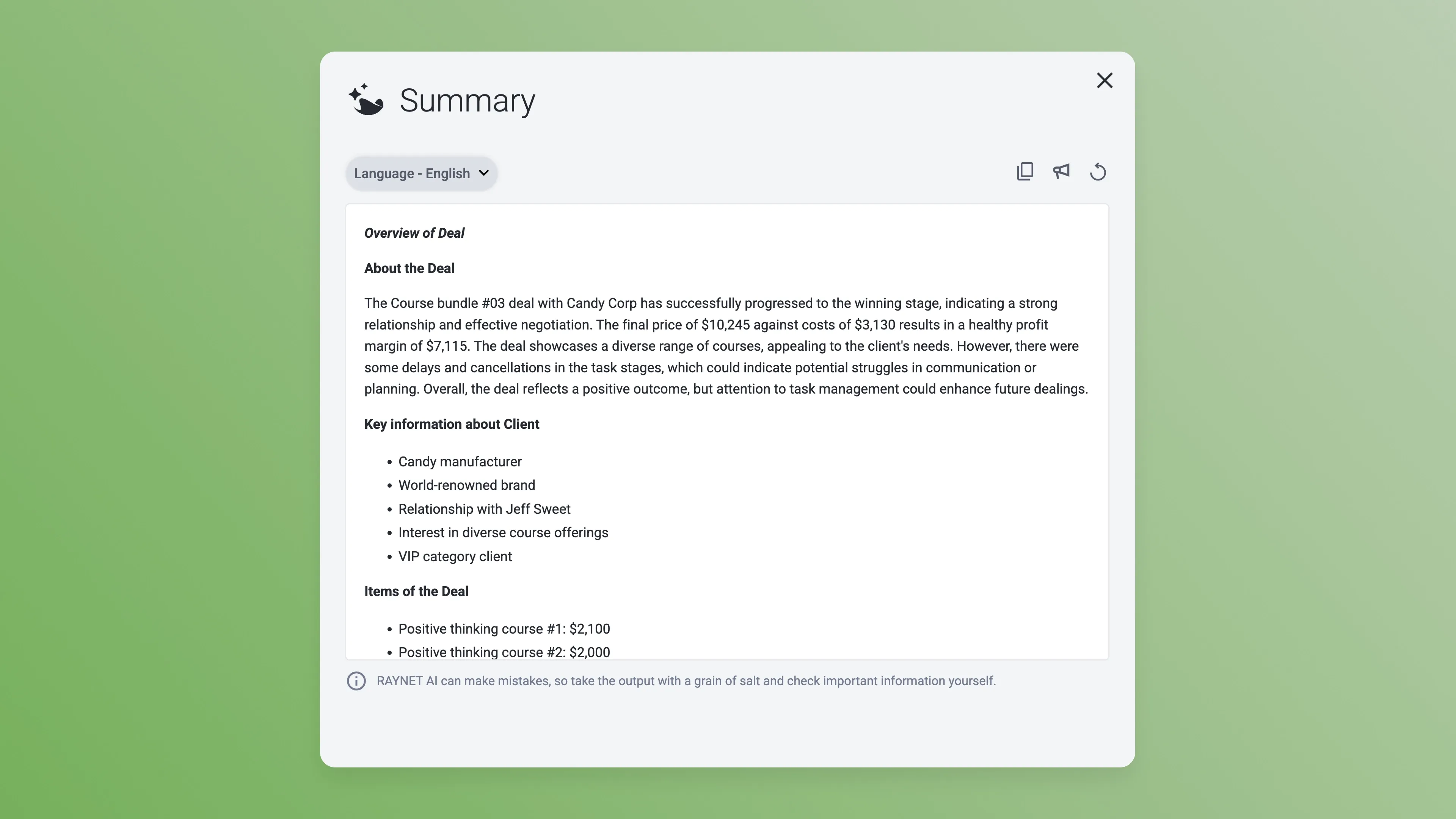
1) Quick context before a meeting: “What have we already discussed with this client?”
⏱️ When it helps: before a call, on the way to a meeting, or when taking over a client from a colleague.
⚙️ What AI does: pulls out key points from the deal history, summarizes the latest interactions and open tasks, and can even read them out loud.
2) Meeting notes without the manual rewriting
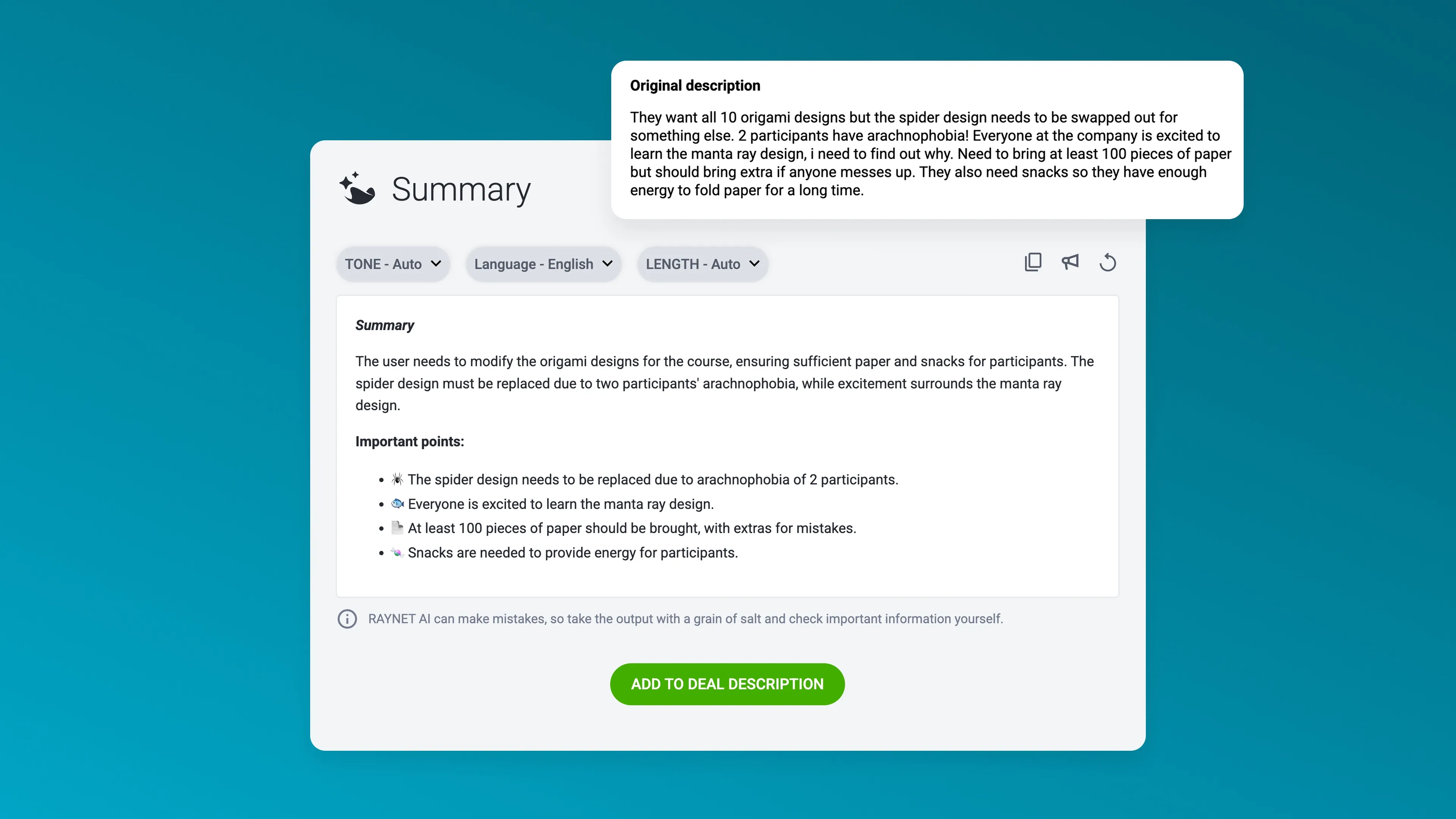
⏱️ When it helps: right after a meeting, in the car, between meetings, or when quickly catching up on CRM admin.
⚙️ What AI does: summarizes long meeting notes into clear bullet points and pulls out important details like tasks or deadlines.
☑️ The benefit: fewer forgotten details and faster record-keeping
💡 Tip
Want to finish your meeting notes even faster? Dictate them straight into the Raynet mobile app. It converts your voice to text, then summarizes it or turns it into clear bullet points. You can find out how in our Knowledge base.
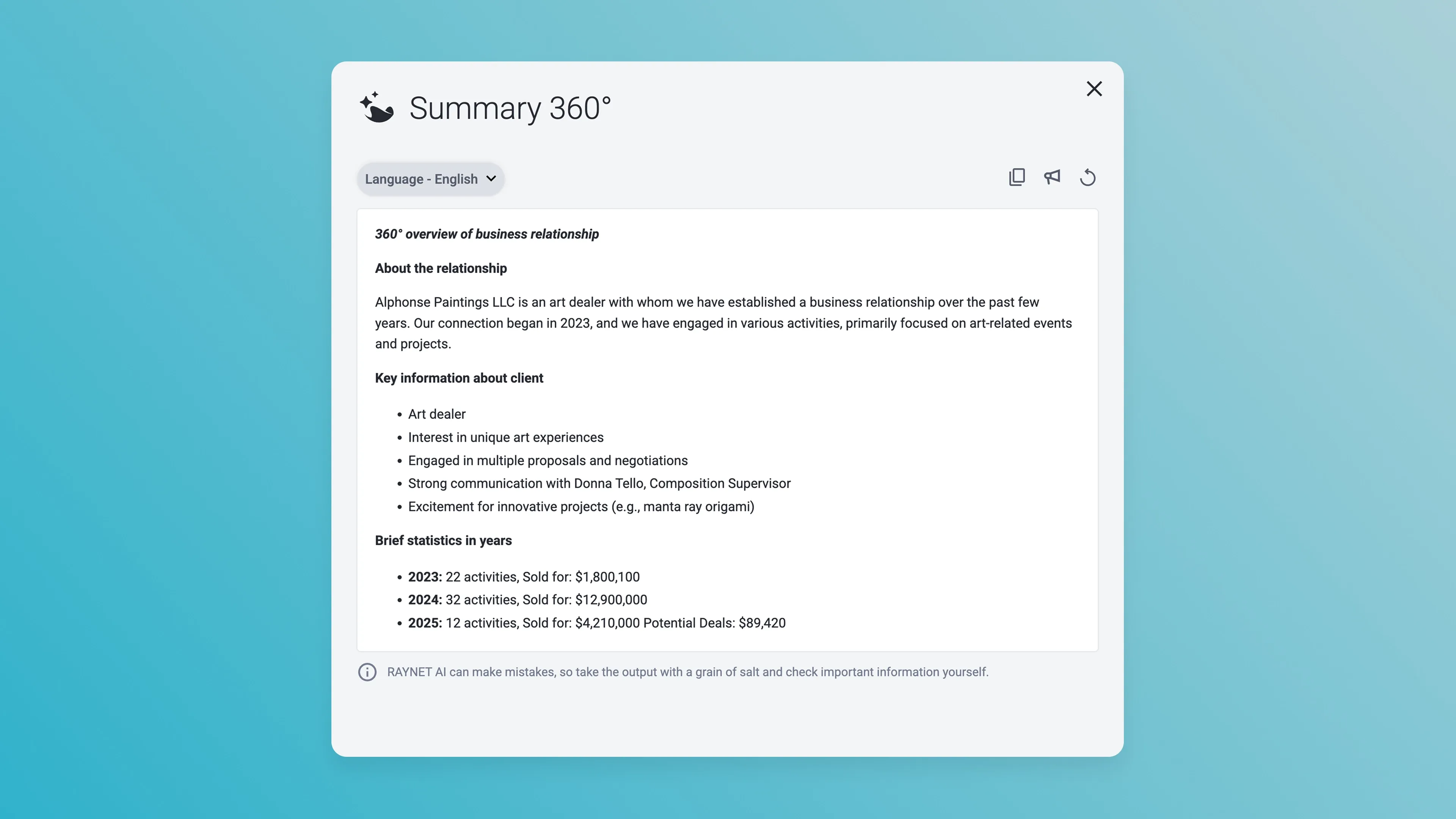
3) Relationship summaries for reports and suggestions for next steps
⏱️ When it helps: before weekly or quarterly reporting, before a meeting with management, when taking over a client, or anytime you need a quick overview of what has been happening.
⚙️ What AI does: creates a summary of the full history – key events, agreements, current status, blockers – and adds suggestions for what to do next, such as recommended follow-up steps or growth opportunities.
☑️ The benefit: instead of manually reading through activities and notes, you get a fast, consistent report covering what happened, what it means, and what to do next.
4) Text editing: formatting, shortening, corrections, and translations
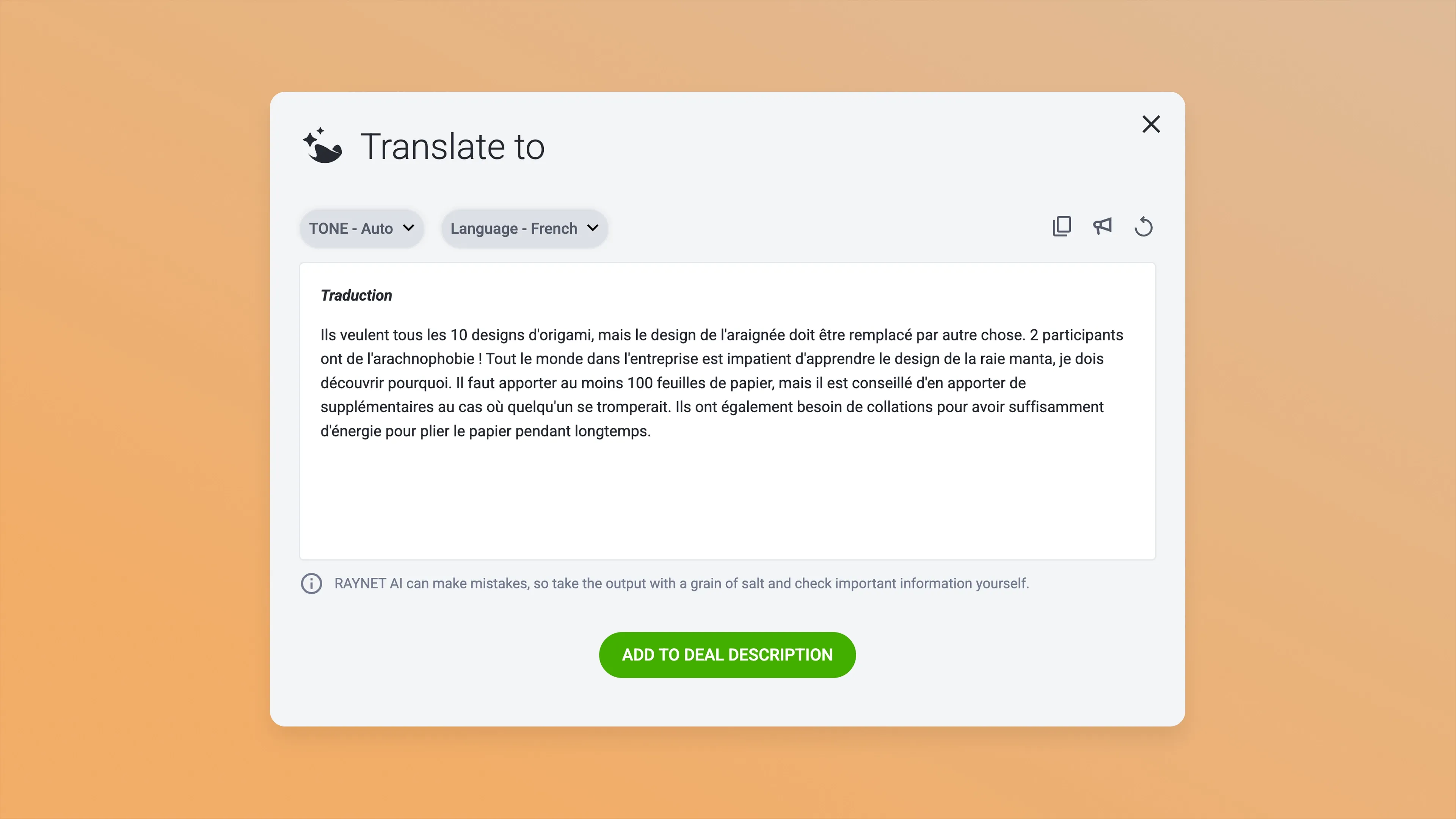
⏱️ When it helps: when your notes are messy, the text is too long and hard to scan, or you need a quick translation.
⚙️ What AI does: rewrites text into bullet points, shortens it, improves style and grammar, or translates it.
5) Emails and replies that stay on tone and on target
⏱️ When it helps: outreach, follow-ups, reactivation, or handling complaints.
⚙️ What AI does: drafts an email including structure and CTA.
☑️ The benefit: faster writing and more consistent communication across the whole team
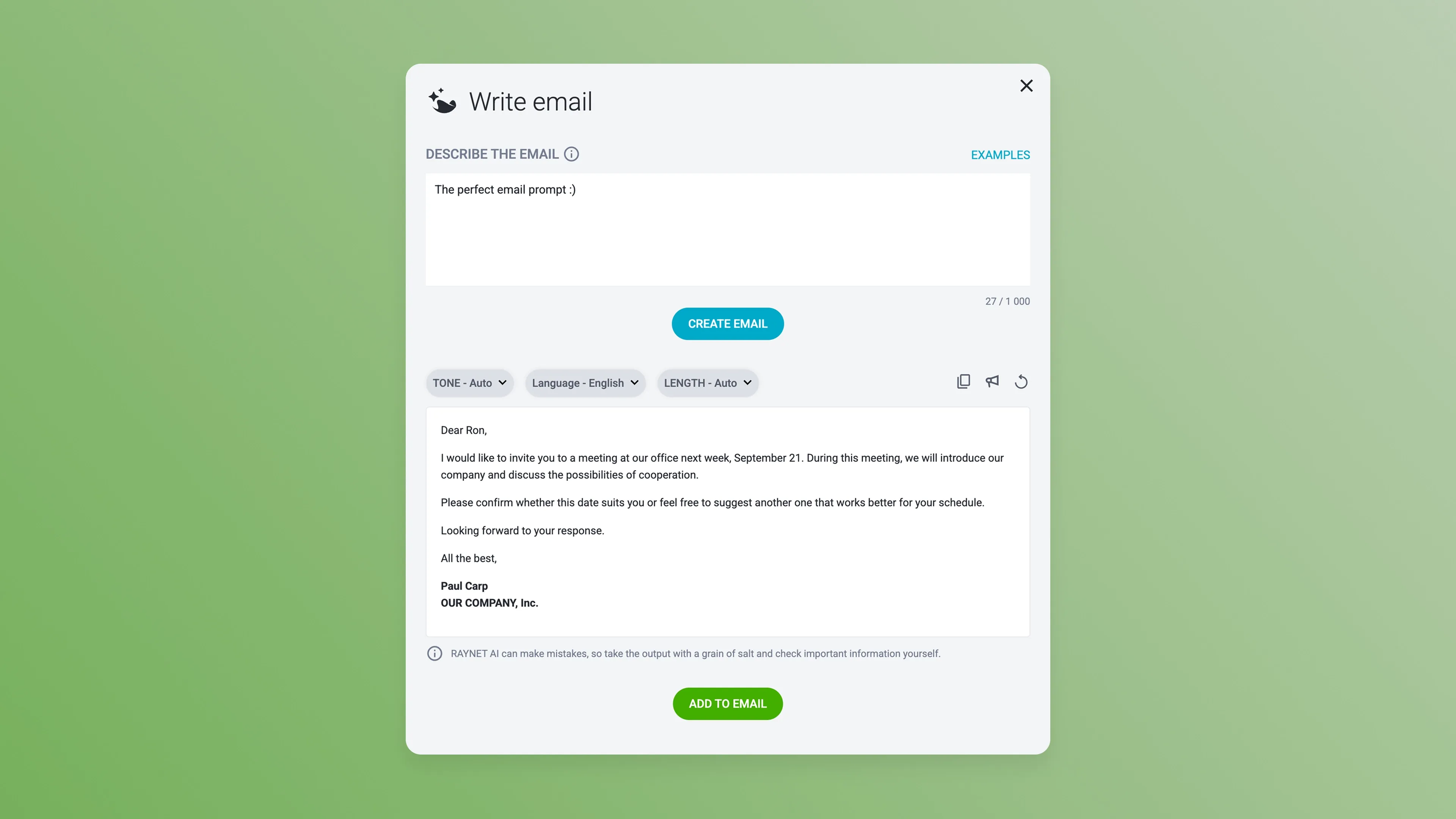
How to write a prompt for a personalized email
If you want AI to generate an email that grabs attention and feels human 🙋 rather than robotic 🤖, it needs the right context. The more specific your input, the more natural and convincing the result. A prompt like “Write an email to a customer” is about as useful as a deal that has been stuck in the “finalizing” stage for 67 days.
What a detailed AI prompt should include
- AI role: Who should AI be? (salesperson, account manager, business owner, customer support agent)
- Customer description: Who is the email for? (person, company, prospect, existing customer)
- Context: What has already happened? (meeting, demo, silence, expressed interest)
- What I offer / key arguments: What value am I bringing? (product, service, problem solved)
- Task: What should AI create? (follow-up, offer, apology, reminder)
- Goal: What should the email achieve? (spark interest, get a reply, move the deal forward)
- Call to action (CTA): What should the recipient do after reading it? (reply, confirm a meeting, send materials, pay an invoice)
- Tone, length, and structure: formal or informal, human, no jargon, maximum length
- Boundaries: what not to mention (sensitive information, internal details)
💡 Tip
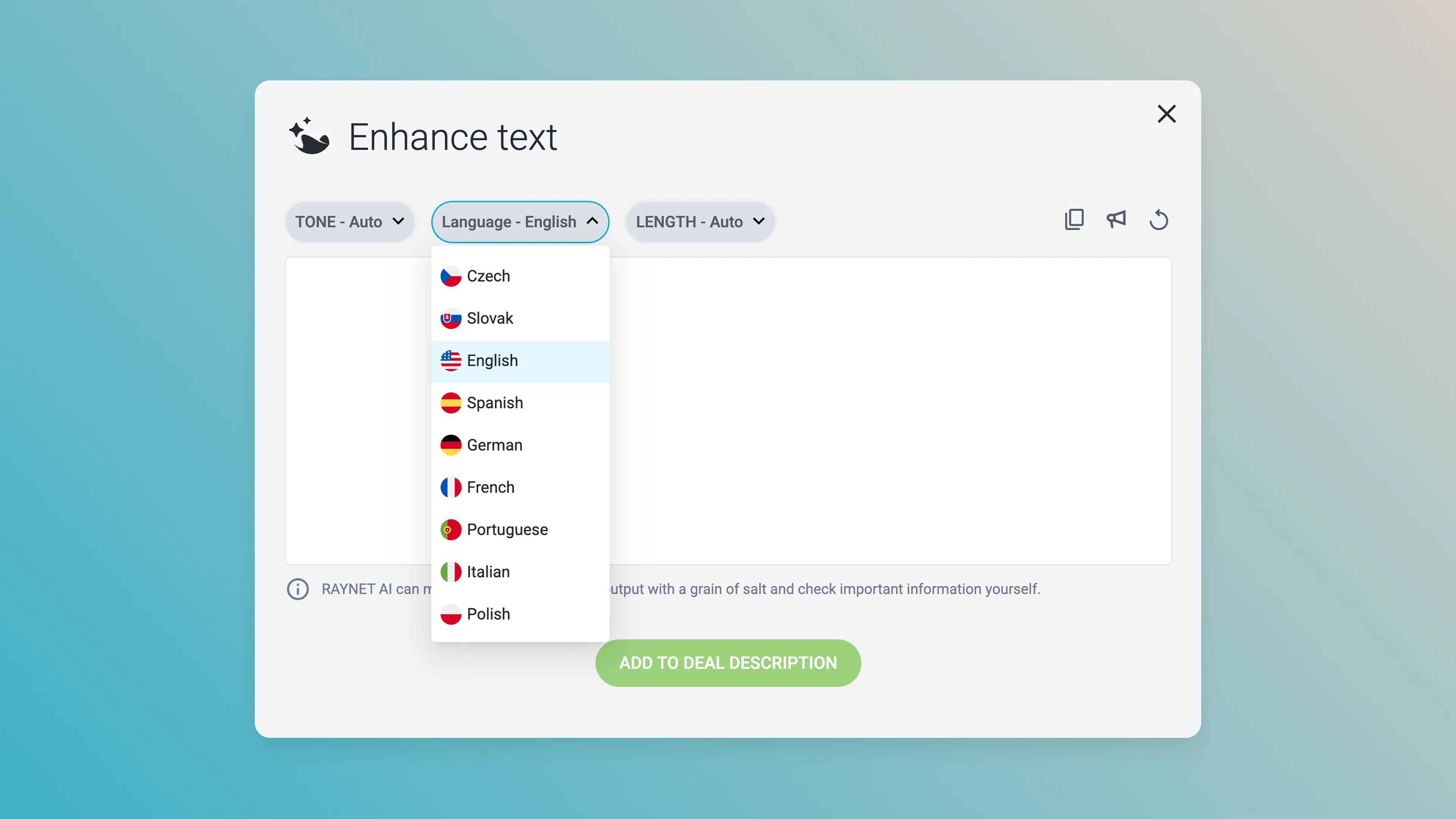
Raynet AI comes with 3 built-in buttons that make it easier to adjust the tone and length of your email. If you are emailing abroad, you can also choose the language you want it written in.
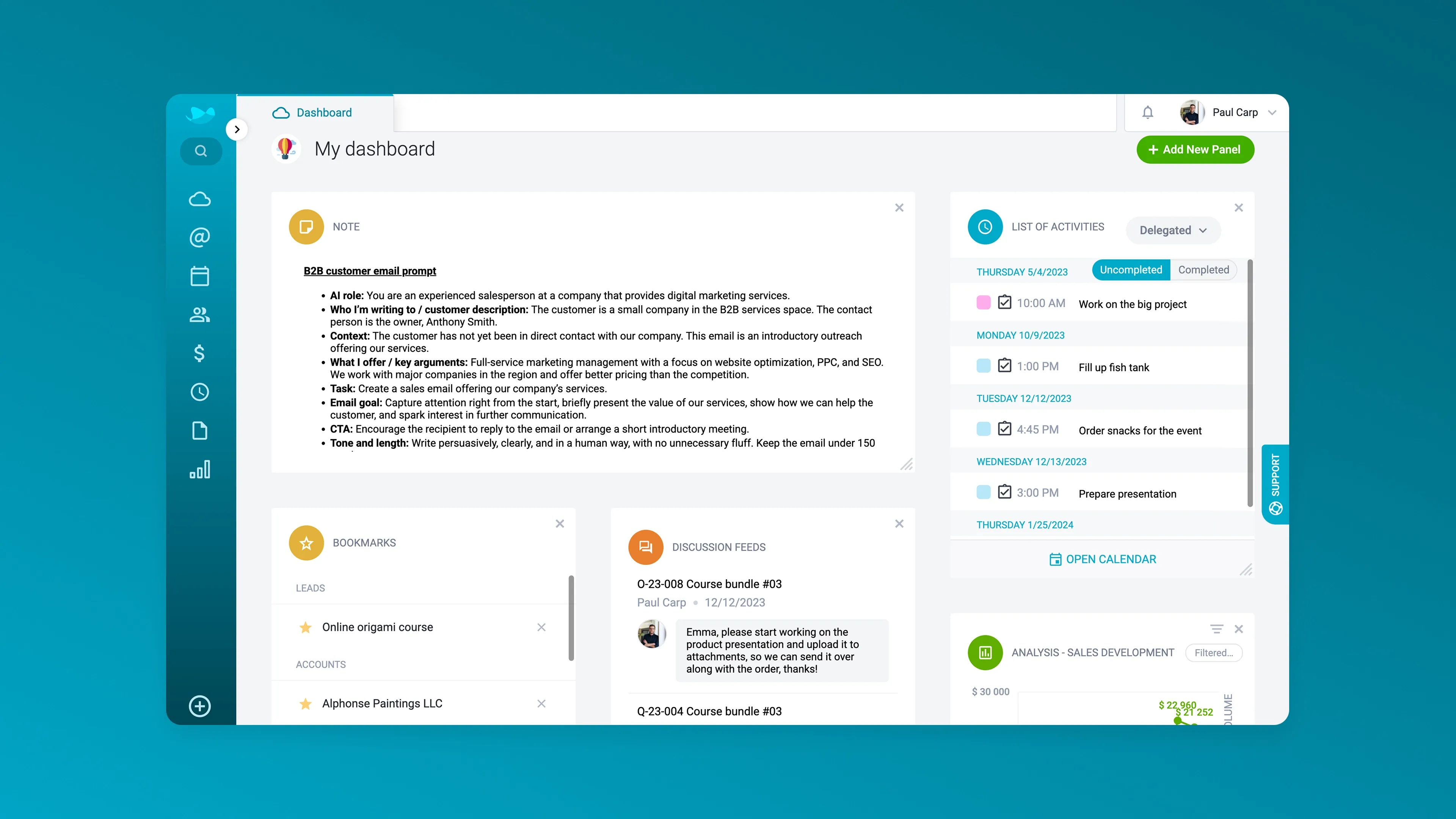
Email prompt template for AI
(Just copy, paste, and fill it in 😉)
AI role:
Who I’m writing to / customer description:
Context:
What I offer / key arguments:
Task:
Email goal:
CTA:
Tone and length:
What not to mention:
Example of a filled out template
AI role: You are an experienced salesperson at a company that provides digital marketing services.
Who I’m writing to / customer description: The customer is a small company in the B2B services space. The contact person is the owner, Anthony Smith.
Context: The customer has not yet been in direct contact with our company. This email is an introductory outreach offering our services.
What I offer / key arguments: Full-service marketing management with a focus on website optimization, PPC, and SEO. We work with major companies in the region and offer better pricing than the competition.
Task: Create a sales email offering our company’s services.
Email goal: Capture attention right from the start, briefly present the value of our services, show how we can help the customer, and spark interest in further communication.
CTA: Encourage the recipient to reply to the email or arrange a short introductory meeting.
Tone and length: Write persuasively, clearly, and in a human way, with no unnecessary fluff. Keep the email under 150 words.
What not to mention: Do not mention specific pricing, internal processes, or technical procedures. Do not use pressure tactics, exaggerate (“the best on the market”), or speak badly about competitors.
💡 Tip
You can save your favorite prompts for Raynet AI directly in Raynet, so you do not have to bounce between different tools. For example, you can use the Note panel on your main dashboard. You can find out how to add panels in our Knowledge base.
Safe AI use in your company
AI can be a fantastic helper in business. It saves time, handles routine work, and gives sales and marketing a boost, but only when it’s safe. Safe AI use starts with one simple question: Where is my data going, and what happens to it? If you cannot get a clear answer, hands off. A data leak is exactly the kind of mistake no one wants to experience twice. When working with AI, you need to know where your data is being sent, who has access to it, and how it is handled.
At Raynet, we take an open approach to this. Raynet AI sends client requests into the Microsoft Azure environment, where a dedicated OpenAI model runs specifically for these purposes. Under the licensing terms, the data you send to the model is not used for further training. In other words, your sales know-how stays yours.
Are you using client data with AI? Names, addresses, emails, communication history, or meeting notes? Then it is worth slowing down for a moment. Security is not only about where the data goes technically. It is also about whether you are actually allowed to use it that way. If you are sending personal data into AI, you should be clear on why you are doing it and on what legal basis. Do you have the client’s consent? Does it fall under contract performance or legitimate interest? And do you have all of this properly covered in your documentation too?
💡 Tip
If you have customers from the EU, you can keep consent records clearly organized in Raynet’s GDPR module – for each contact, including history and validity.
Where Raynet AI is heading in 2026
At Raynet, we don’t see AI as a standalone feature. We see it as a gradual shift in how CRM is used. The goal is to simplify daily work, especially in the areas where salespeople and admins currently spend the most time on routine tasks.
For 2026, we have several areas in progress that we want to test and gradually bring into practice.
🤖AI assistant directly in Raynet
We are working on a chatbot trained on our Knowledge base content as well as answers our support team has already given to users. So instead of digging through a specific article or scrolling through videos, you will simply ask:
“How do I set up a pipeline?”
“Where can I find email templates?”
Looking ahead, we are also considering a more advanced version – an AI guide that helps with the initial CRM setup or onboarding new users.
✉️ Automatic data capture from emails
When creating contacts, the same task tends to repeat itself: copying details from an email signature. That is why we are preparing a feature that can automatically read data from an email footer and prefill CRM fields for you.
It is a small thing, but it saves time every single day. You can already see a similar feature in the mobile app, where data from scanned business cards is assigned automatically.
⚙️ AI as part of automations
One of the main directions we are preparing for AI in Raynet is bringing it into the automation section as an action with clearly defined input and output.
Typical examples include:
- Automatic summarization of meeting notes
- Drafting email copy
- Calculating value or commission
- Enriching data from external sources
- Transcribing calls from audio recordings
The goal is for AI to fit into existing processes and help where it genuinely makes sense.
🧠 AI-powered custom fields
Another area is custom fields where values will not be filled in manually but generated automatically based on a defined prompt.
That could include:
- Calculating or combining multiple attributes
- Record flags and classifications
- Data enrichment for companies or contacts
This approach opens up new possibilities for working with data, but it also needs to stay predictable and easy to control.
🔍 Search in plain human language
We want to move search closer to natural questions. Instead of complicated filtering, you could simply type something like:
“How did product X sell last quarter?”
“Which deals are currently closest to closing?”
AI by odpověď sestavila přímo z dat v CRMku.
🎯 Lead and opportunity scoring
We are also developing predictive lead qualification. Users will be able to define their ideal customer profile (ICP), and Raynet will help identify which leads have the highest potential.
This will also include pulling in information from available databases and allowing the scoring model to be tailored to a specific sales process.
🏃➡️ Recommendations for the next best step
V rozpracovaných obchodech se snadno stane, že některé příležitosti zůstanou viset ve vzduchu. Pokud má firma definovaný obchodní proces, AI může u konkrétních obchodních případů připomenout další vhodný krok – kdy zavolat, kdy poslat nabídku nebo kde je potřeba obchod znovu rozhýbat.
🧑💼 A sales assistant for routine admin
We are preparing an assistant that a salesperson can simply tell what needs to be recorded and the CRM will take care of the rest. The goal is to tame the biggest time-eaters in sales work. For example:
- Creating an activity
- Adding information to a deal
- Scheduling a follow-up
📱 Voice control in Raynet AI mobile
Looking ahead, we expect part of this assistance to be available on mobile too, including voice control. For example, before a meeting, you will be able to tell AI:
“Summarize what we have already discussed with this client.”
“What is on my calendar today?”
That means a big part of your meeting prep could be done from the car.
How to get started with Raynet AI
AI will not save your sales on its own. But inside CRM software, it makes sense because it has context. It knows what has already been discussed, what is in progress, and what should happen next. It helps with everything from meeting prep to note-taking to the next step in the pipeline.
Raynet AI is already saving sales teams a huge amount of time today. And the direction for 2026 means less tab switching, less rewriting, and more smart support built directly into your processes – in automations, search, scoring, and mobile.
Want to try it out? Pick one use case. For example, meeting notes with voice input and automatic summarization. Then use it consistently for one week.
AI should not be just another tab. It should be part of your sales flow and keep up with your pace. 🚀


Kelly used to work as a freelance translator and later got into marketing, content creation and software localization. At Raynet, she works on making the CRM system more friendly towards English-speaking users, expanding the Knowledge Base, and writing articles.