Everything you need to know
about the CRM system
10/14/2025
CRM
Contents:
- What is CRM?
- What is a CRM system?
- Main features and benefits of using a CRM system
- How to choose the right CRM system?
What is CRM?
CRM stands for Customer Relationship Management. It refers to activities focused on creating, maintaining, and improving long-term relationships with customers throughout their entire lifecycle. In practice, these activities are implemented using CRM systems such as Raynet, Salesforce, HubSpot, or Pipedrive.
The goal of CRM is to build a satisfying relationship with existing customers while efficiently acquiring new ones. Within CRM, you record all activities related to the customer—from acquisition and first contact, through loyalty development and handling client issues, all the way to the end of the business relationship.
If someone asks you, “How do you do CRM?”, you can loosely translate it as, “What do you do to have satisfied and loyal clients?”
CRM is essential for all companies that put customers first. A satisfied customer won’t turn to the competition and maintains a strong connection to your products and services. A CRM strategy uses well-thought-out methods to maintain satisfaction at every stage of the relationship between the company and the customer.
A CRM strategy influences how you:
- the brand impacts a potential customer,
- salespeople approach a potential customer,
- the company takes care of the customer after the first purchase,
- the company maintains customer loyalty during future purchases,
- the company is able to part ways with the customer.
The field of CRM is closely connected with technologies that help put CRM strategies into practice. These technologies are most commonly referred to as a CRM system, software, tool, or solution. So if we slightly rephrase the earlier question and someone asks you, “What CRM do you use?”, in 99% of cases, they actually mean, “Which CRM system do you use?”
What is a CRM system?
CRM systems are tools that centralize all customer data in one place. Users can then work with this data efficiently, use it to conduct successful business, and increase customer satisfaction with its help.
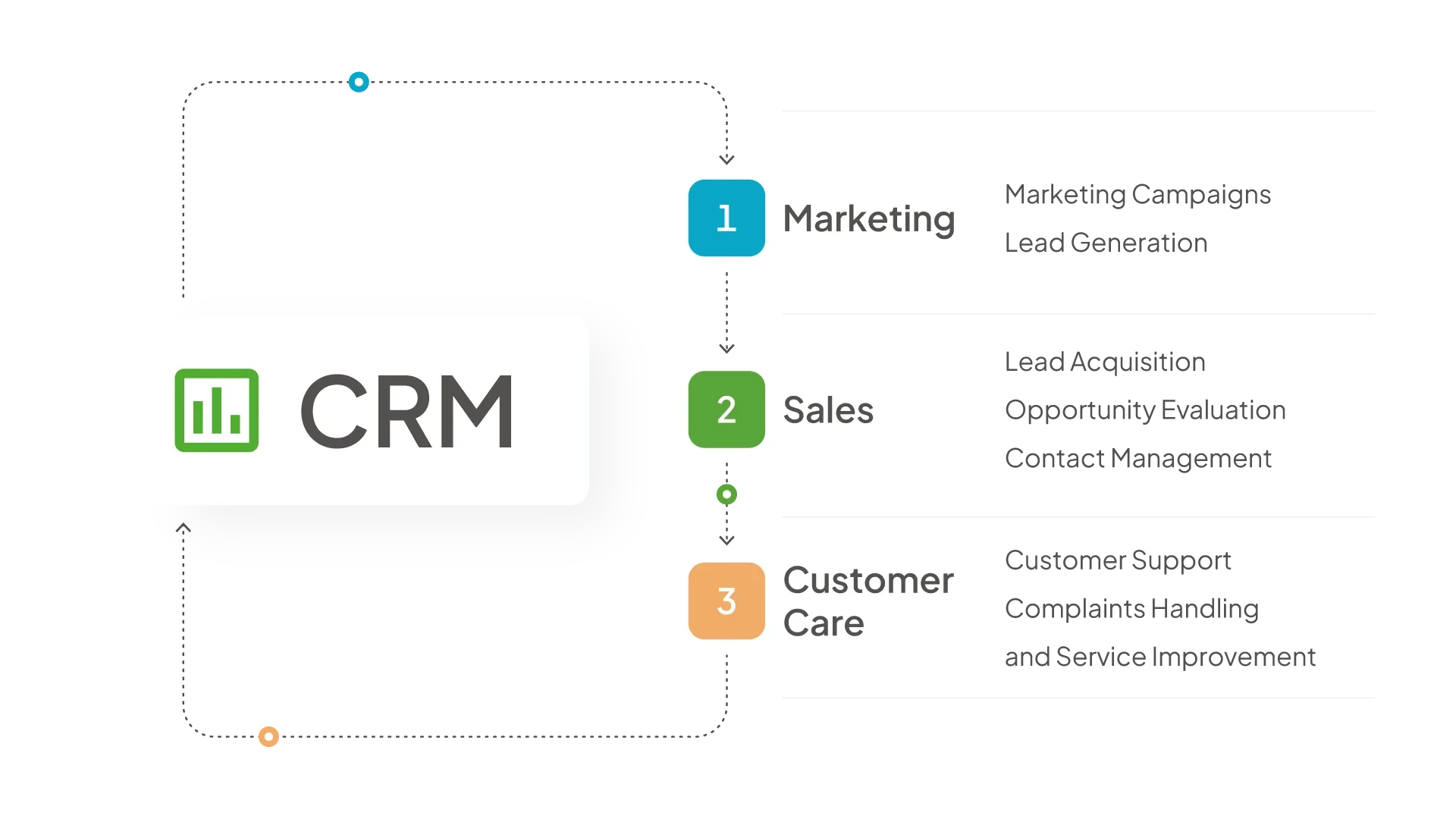
CRM systems can be divided into three categories, which in practice are often interconnected:
- operational CRM – enables the collection of customer data to improve sales or marketing,
- analytical CRM – analyzes collected customer data, evaluates marketing campaigns, and guides salespeople on which opportunities to focus on,
- collaborative CRM – creates channels for direct communication with the customer and moves it forward, primarily supporting customer care and enabling better responses to individual customer needs.
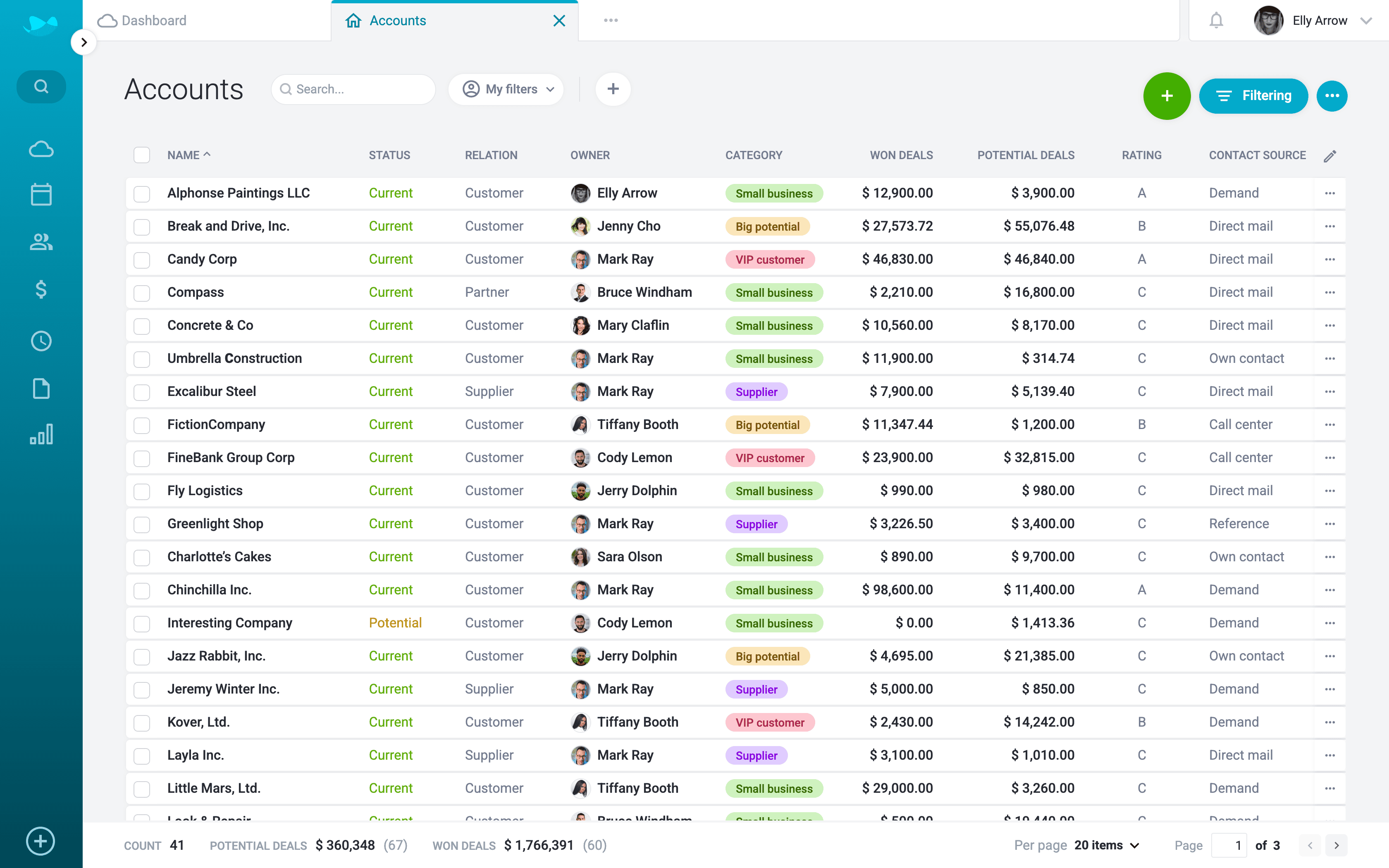
In practice, CRM looks like a database of all customer information.
Main features and benefits of using a CRM system
With a CRM system, you can collect, maintain, and analyze all useful customer data such as contact information, business transactions, or communication history.
Why companies most commonly use CRM:
1. CRM provides the necessary information
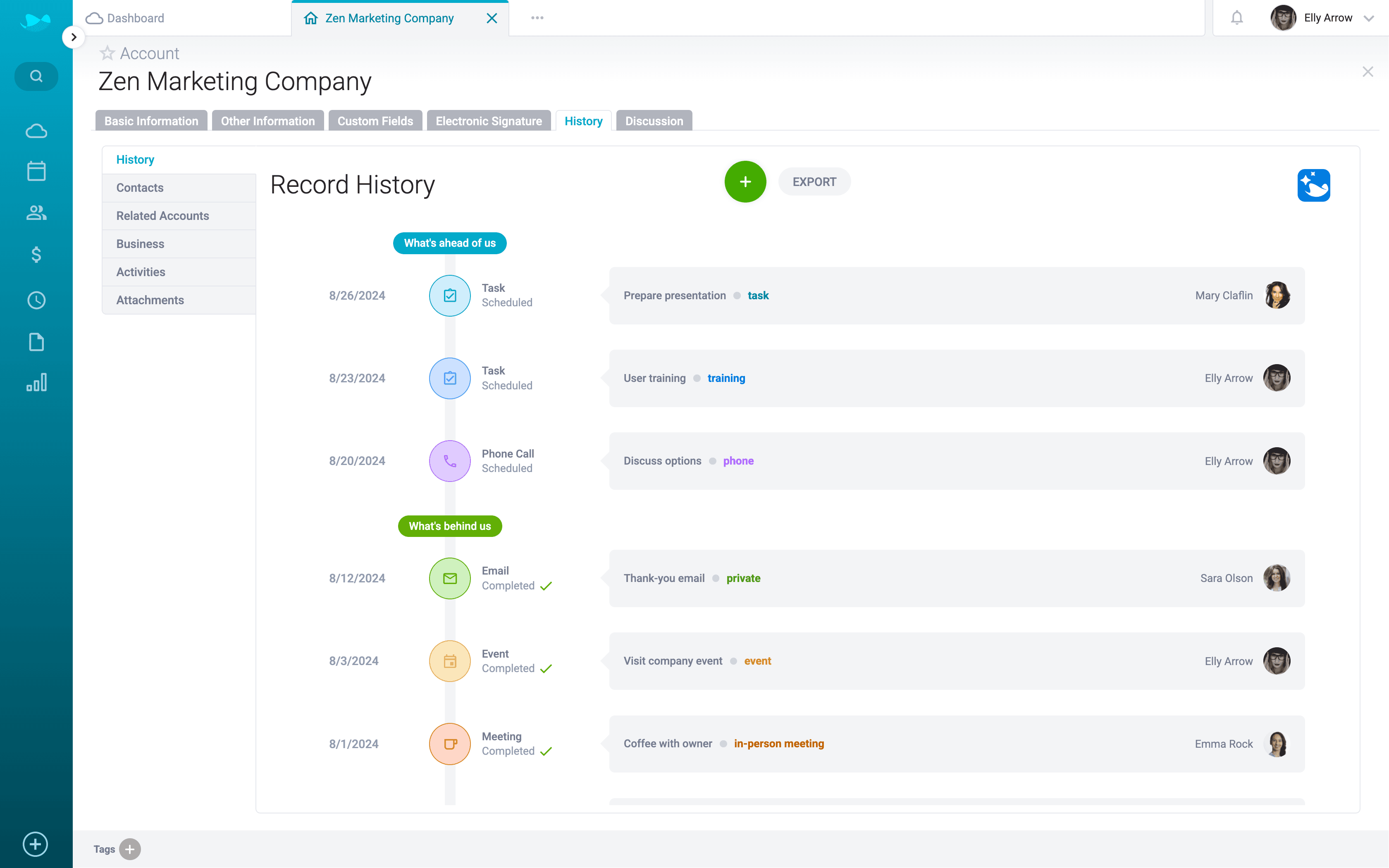
CRM systems deliver the maximum amount of useful information to anyone who interacts with the customer—at any stage of the sales process.
This includes, for example:
- the entire history of your interactions with a specific client,
- what issues you have dealt with and how they were resolved,
- or the historical sales volume you have achieved with that client.
This information can be used by, for example:
- the sales department when meeting and establishing contact with clients,
- customer support for providing quick assistance to current clients,
- the marketing department for targeting campaigns at existing clients.
2. CRM simplifies customer data management
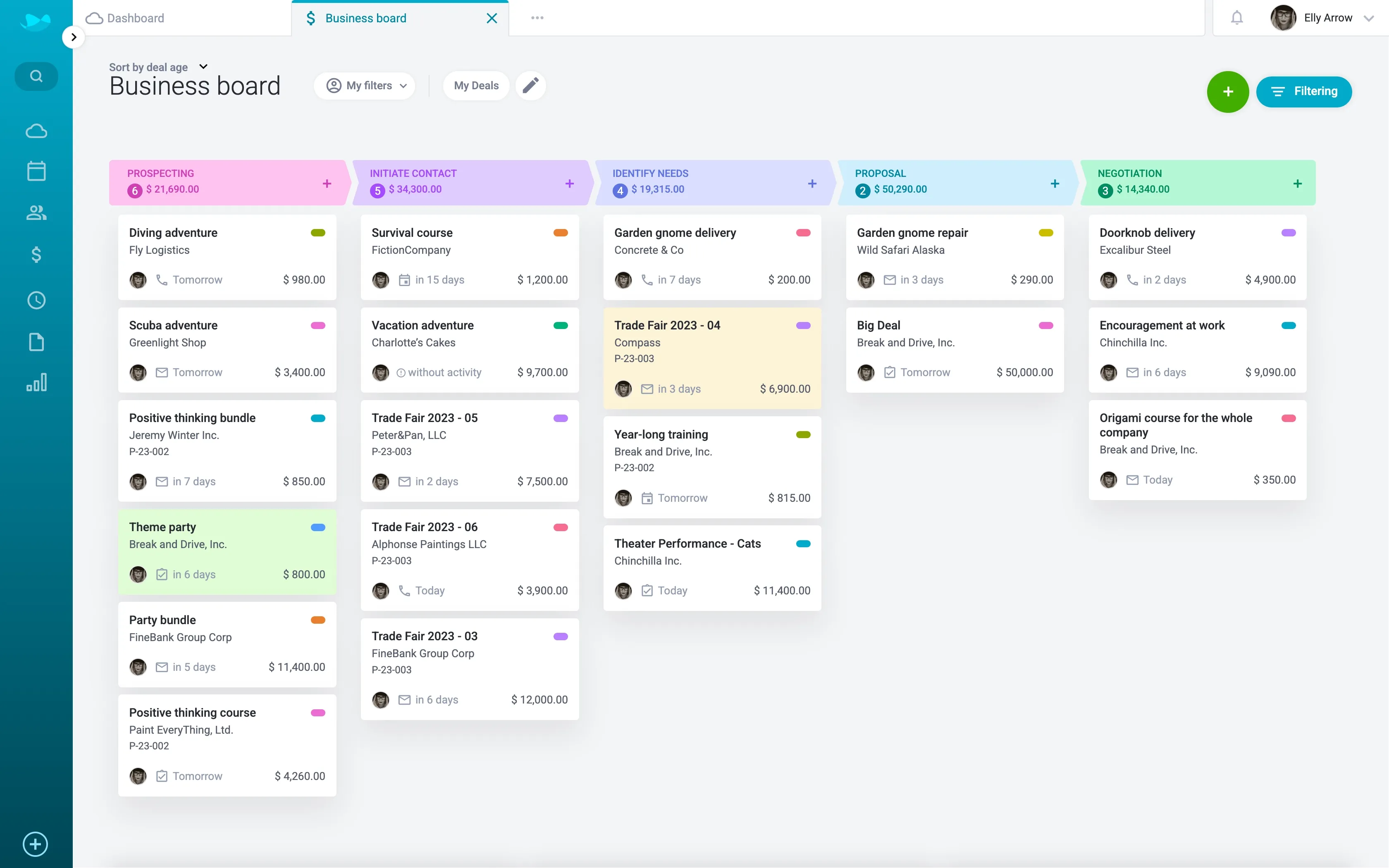
When companies record customer data, it’s often scattered across various places, such as Excel spreadsheets, different company drives, or even printed documents. A CRM system eliminates this problem by allowing companies to store all data in one place.
That’s why in a CRM system, you’ll find a client database, a planner for business activities, and tools for managing business deals.
3. CRM increases work efficiency
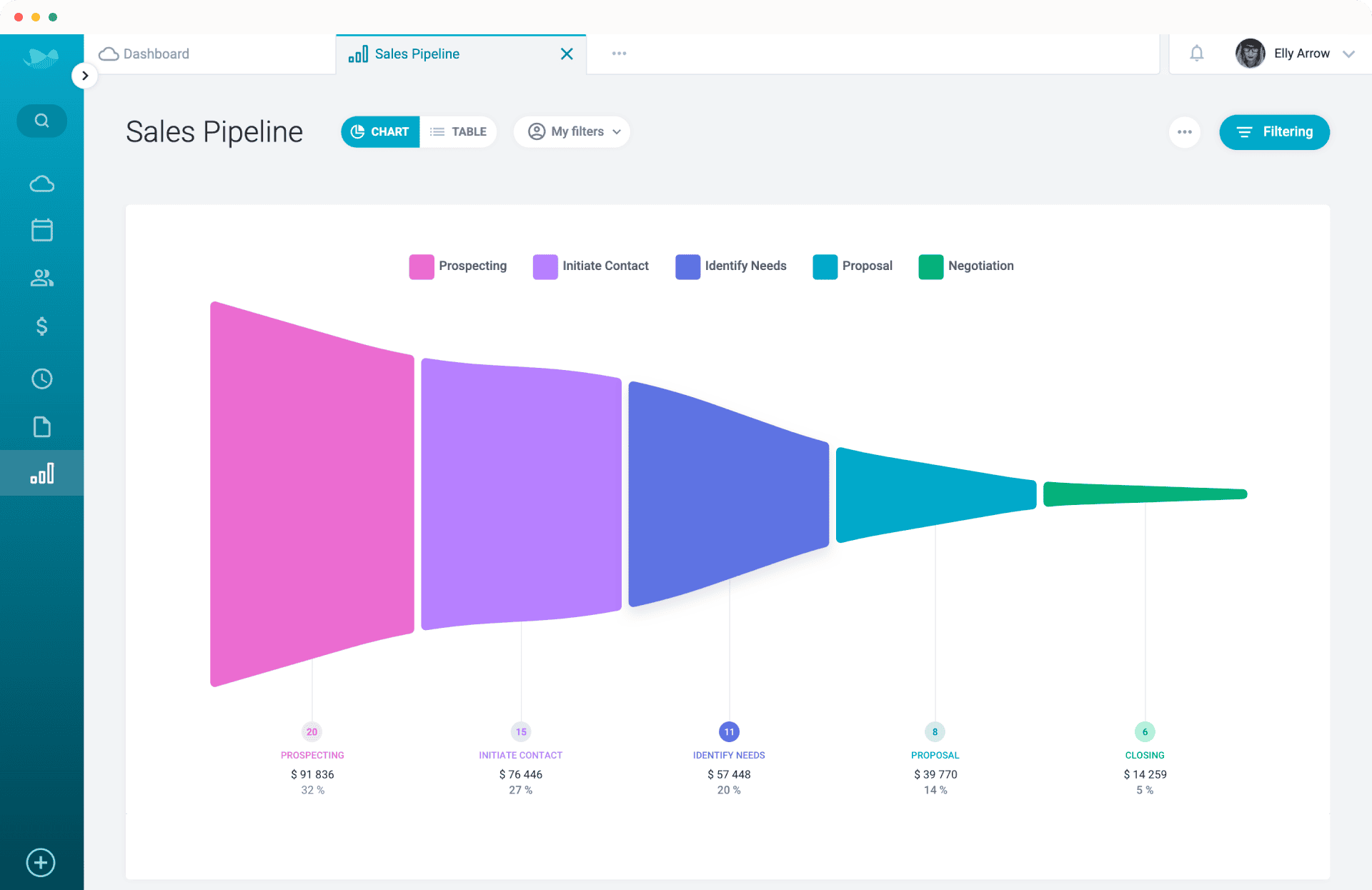
CRM can automate and streamline tasks across several departments in the company, especially for salespeople. It relieves them of administrative burdens such as rewriting, paperwork, or searching for information, allowing them to focus more on what should be the core of their role—selling.
How to choose the right CRM system?
If you want to start using a CRM system, ask yourself the following questions during the selection process. They’ll help you choose software that matches your needs.
Which processes should the CRM system simplify?
Think about which tasks you perform repeatedly and how a CRM system could help with them. Focus on communication with clients, scheduling meetings, or how you keep track of ongoing deals. Do you store all information in spreadsheets and spend ages just looking up a single detail? Write down all your requirements and compare which CRM system meets them best.
How large is our company?
How many clients do you have, and how many team members work with their data? If you need to better share information about deals among colleagues and keep track of documents from dozens, hundreds, or even thousands of clients, a CRM system is the ideal solution. The system’s required performance also depends on the volume of stored data.
Which features do we need?
When choosing a CRM system, consider what you expect from it and what you want the software to be capable of. Make sure, for example, that the CRM can be integrated with your existing tools and services—like your online calendar, mailing tool, invoicing system, and so on.
Which technical solution will we choose?
You can install CRM software on your own server. However, the server must meet technical requirements, have enough storage capacity, and proper security measures in place. The other option is a cloud-based CRM, which you can access anytime and from anywhere. An added benefit is that the system is secured, so you don’t have to worry about the safety of your data.